In this article, we will show you how to add a Google Analytic tracking code to your Joomla website.
1) Log into the Joomla administration panel
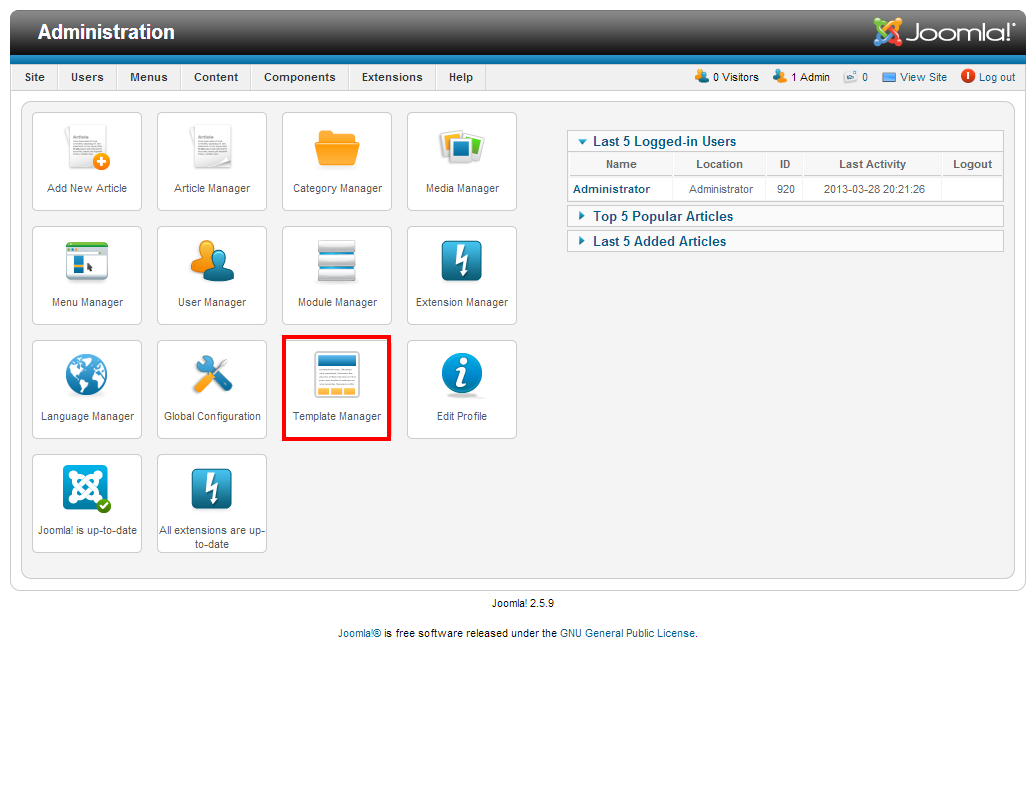
2) Click the Template Manager link

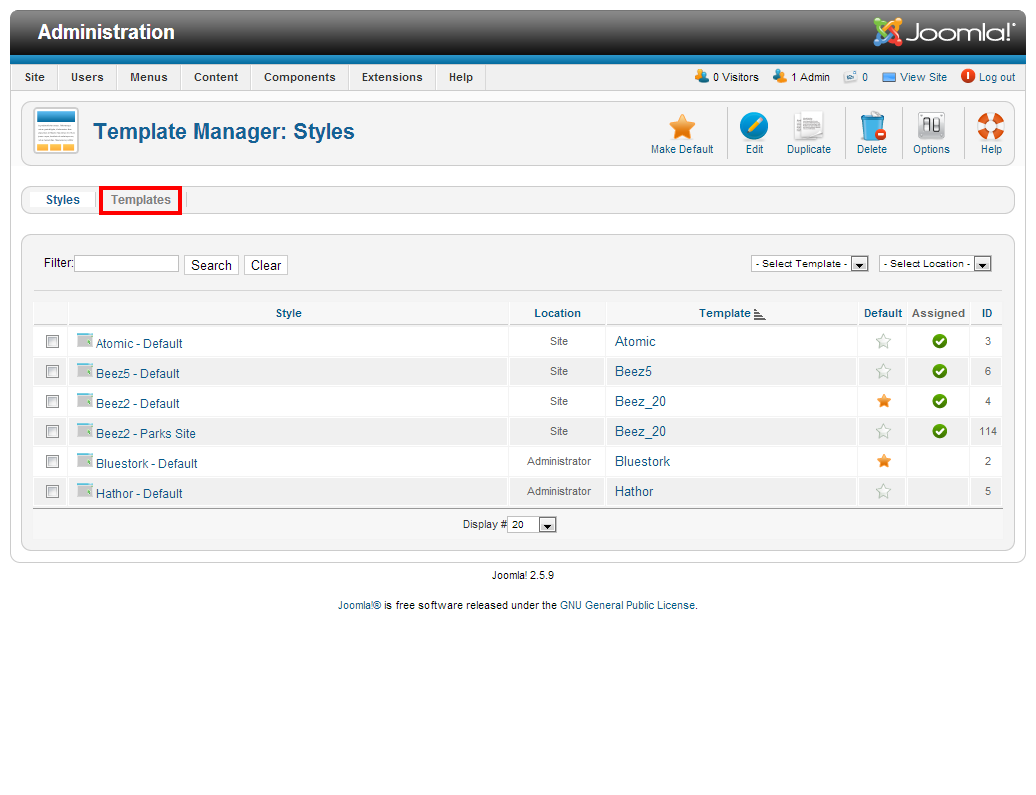
3) Click the Templates tab

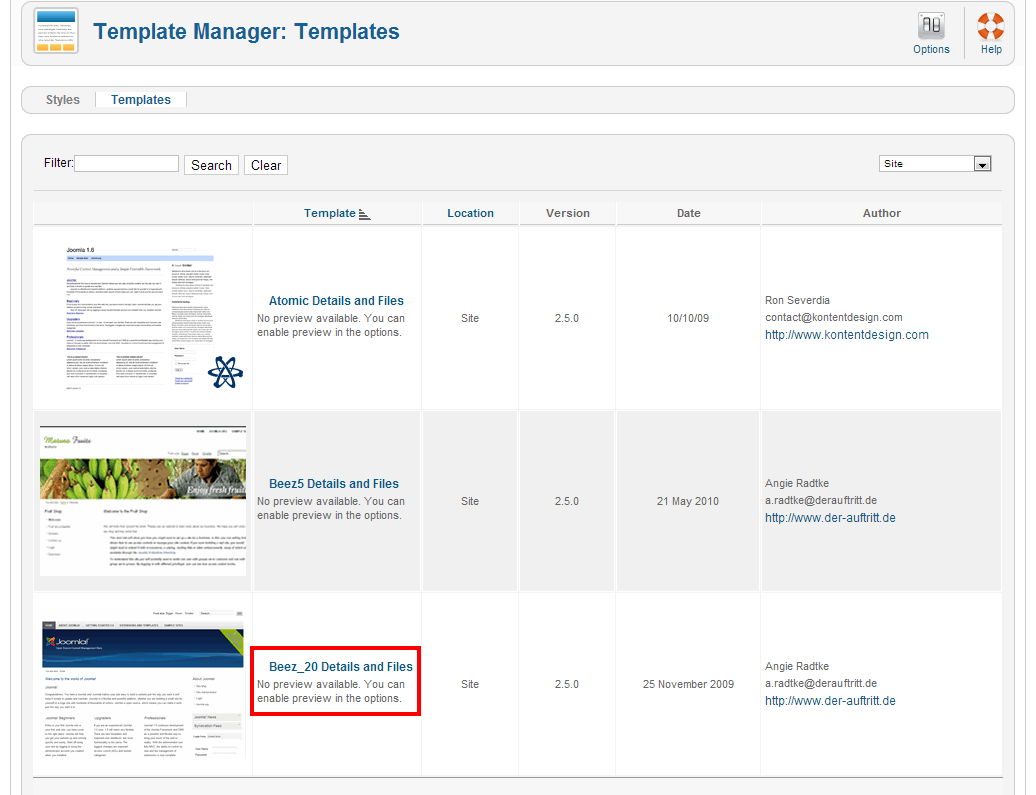
4) Locate the template your site is using, then click on its title

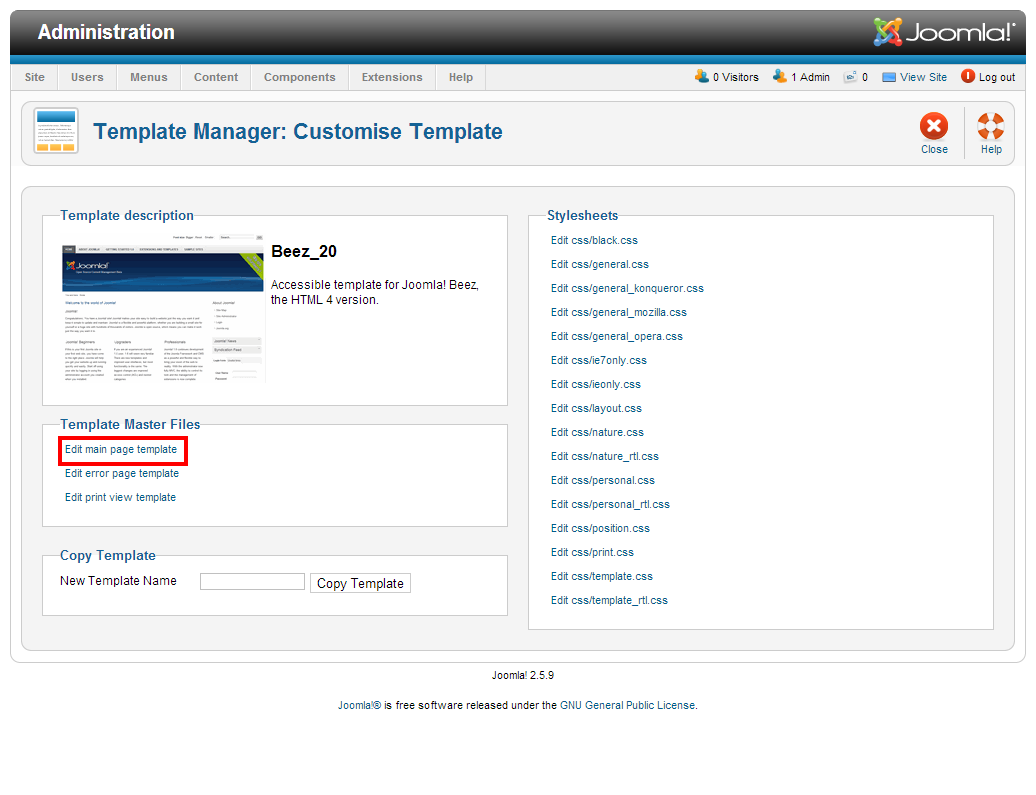
5) Click the Edit main page template link

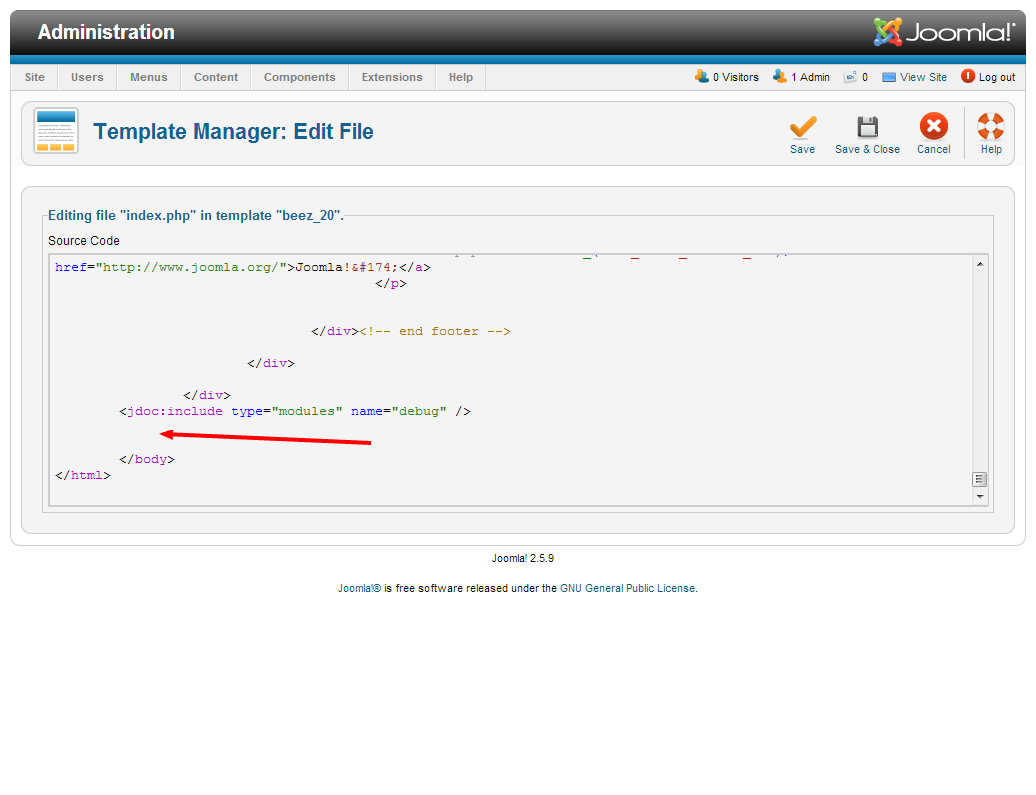
6) At the bottom of the code, locate the </body> tag and insert your tracking code above it

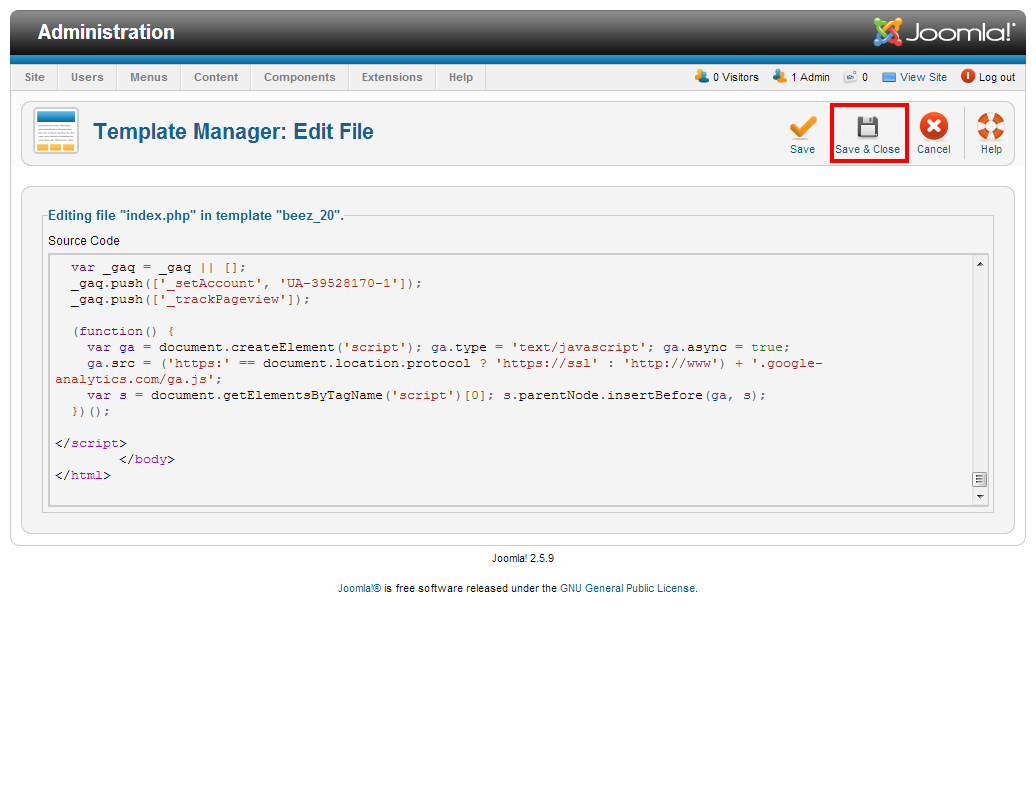
7) Click the Save & Close button

That’s it! You should start to see tracking results from this site within 24 hours on the Google Analytics panel

No comments:
Post a Comment